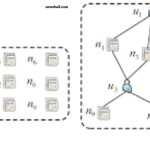

In the world of computer networking, understanding the difference between a hub and a switch is essential. Both devices connect multiple computers, but they operate in very different ways. Choosing the right device can significantly impact network speed, efficiency, and security. Here’s a detailed look at how hubs and switches differ across functionality, performance, and usage.
Read More: Unlock the Brilliance of LCD Monitors: An Inspiring Beginner’s Guide to Stunning Visuals
Functionality: Simple vs. Smart Networking
Hubs and switches both connect computers in a network, but their approach to data handling varies.
Hub: A hub transmits data to every device connected to the network, regardless of whether the device needs it. This indiscriminate broadcasting often wastes bandwidth and slows network performance.
Switch: A switch, on the other hand, intelligently sends data only to the intended recipient by checking each device’s address. This targeted transmission enhances network speed, efficiency, and security, making switches the preferred choice in modern networks.
OSI Layer: Physical vs. Data Link
The difference between hubs and switches also lies in the OSI model layer they operate on.
Hub: Operating at the Physical Layer (Layer 1), hubs merely forward electrical signals without examining the data. This limited capability makes hubs less efficient in managing network traffic.
Switch: Switches operate at the Data Link Layer (Layer 2), reading MAC addresses to direct data accurately. Advanced switches can also function at the Network Layer (Layer 3), enabling smarter traffic management and routing capabilities.
Data Transmission: Half-Duplex vs. Full-Duplex
How a device transmits data significantly affects network performance.
Hub: Hubs use half-duplex communication, which allows either sending or receiving data at a time, not both. When multiple devices attempt to send data simultaneously, network delays and collisions occur.
Switch: Switches support full-duplex communication, enabling simultaneous sending and receiving of data. This capability reduces wait times, prevents collisions, and ensures smoother network performance.
Speed: From Basic to High Performance
Network speed is crucial for modern computing demands.
Hub: Hubs are limited in speed, often supporting only up to 10 Mbps. This low performance is insufficient for contemporary network requirements.
Switch: Switches provide higher speeds, supporting 10, 100, or even 1000 Mbps. This rapid data transfer makes switches ideal for offices, schools, and corporate networks.
Efficiency: Bandwidth Usage Matters
Efficient network resource use is essential for smooth operations.
Hub: Hubs broadcast data to all connected devices, consuming bandwidth unnecessarily and reducing overall network efficiency.
Switch: Switches send data only to the intended device, saving bandwidth and optimizing network performance.
Security: Protecting Your Data
Network security is a growing concern for both businesses and individuals.
Hub: Since hubs transmit data to all devices, any connected device can access information not meant for it, posing a significant security risk.
Switch: Switches limit data transmission to the designated recipient, keeping information private and secure within the network.
Collision Handling: Minimizing Data Conflicts
Data collisions occur when multiple devices send data simultaneously, creating network delays.
Hub: Hubs cannot prevent collisions. When two devices transmit data at the same time, the signals interfere, forcing retransmission and slowing the network.
Switch: Switches reduce or eliminate collisions by sending data directly to the intended device. This precise handling maintains network stability and speed.
Cost: Budget-Friendly vs. Investment in Performance
Price is an important consideration when designing a network.
Hub: Hubs are inexpensive and suitable for small, simple networks where cost is a priority over performance.
Switch: Switches are more costly but offer faster speeds, better security, and efficient bandwidth usage. The investment pays off in high-performance networks.
Port Management: Basic vs. Intelligent
How a device manages its ports influences network control.
Hub: Hubs lack port management. They send the same data to every port without distinguishing between connected devices.
Switch: Switches use intelligent port management, remembering the MAC address of each connected device and directing data only to the correct port. This reduces unnecessary traffic and enhances efficiency.
Usage: Legacy vs. Modern Networks
Where and how these devices are used reflects their capabilities.
Hub: Hubs are mostly found in small, outdated networks where budget is a bigger concern than performance. Their slow speed and low security make them uncommon today.
Switch: Switches dominate modern networks, from offices to schools and large enterprises. Their high speed, security, and efficiency make them essential for reliable network performance.
Frequently Asked Questions:
What is a hub in networking?
A hub is a basic networking device that connects multiple computers and forwards data to all devices in the network, regardless of the intended recipient.
What is a switch in networking?
A switch is a smart networking device that directs data only to the device it is meant for, improving network speed, efficiency, and security.
How does a hub differ from a switch?
Hubs broadcast data to all devices, while switches send data selectively to the intended device, making switches faster, more secure, and more efficient.
Which OSI layer do hubs and switches operate on?
Hubs operate at the Physical Layer (Layer 1), and switches operate at the Data Link Layer (Layer 2). Advanced switches can also work at the Network Layer (Layer 3).
What is the difference in speed between a hub and a switch?
Hubs typically operate at 10 Mbps, while switches can support speeds from 10 Mbps to 1 Gbps or higher, suitable for modern networks.
Are switches more secure than hubs?
Yes. Switches send data only to the correct device, reducing the chance of unauthorized access, while hubs broadcast data to all devices, which is less secure.
Can hubs handle data collisions effectively?
No. Hubs cannot prevent collisions, which can slow down the network. Switches, however, reduce or prevent collisions through intelligent data routing.
Conclusion
Understanding the difference between a hub and a switch is essential for anyone working with computer networks. While hubs are simple and cost-effective, they broadcast data to all devices, making them slower, less efficient, and less secure. Switches, in contrast, intelligently direct data only to the intended device, offering faster speeds, better bandwidth management, enhanced security, and minimal data collisions. For modern networks—whether in offices, schools, or large enterprises—switches are the clear choice. Investing in a switch ensures reliable performance, smooth data transmission, and a secure networking environment.